Connect Intercom to Minimal AI by creating an app in Intercom’s Developer Hub and adding its credentials to the Intercom integration on our platform. You will copy the app’s access token and client secret into Minimal AI, and configure webhooks so Intercom sends conversation events to Minimal.

Create an app in the Developer Hub

1

Open the Developer Hub

In Intercom, go to Settings > Integrations > Developer Hub.
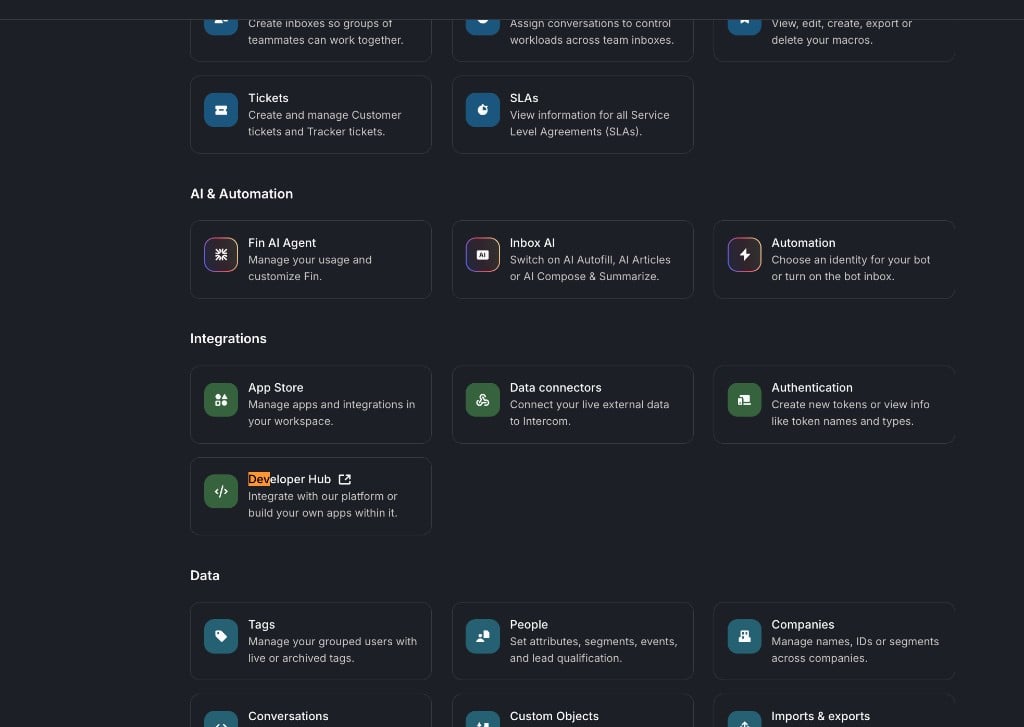
Intercom settings with the Developer Hub option under Integrations
2

Create a new app

On the Your apps page, click New app and create an app for your workspace.
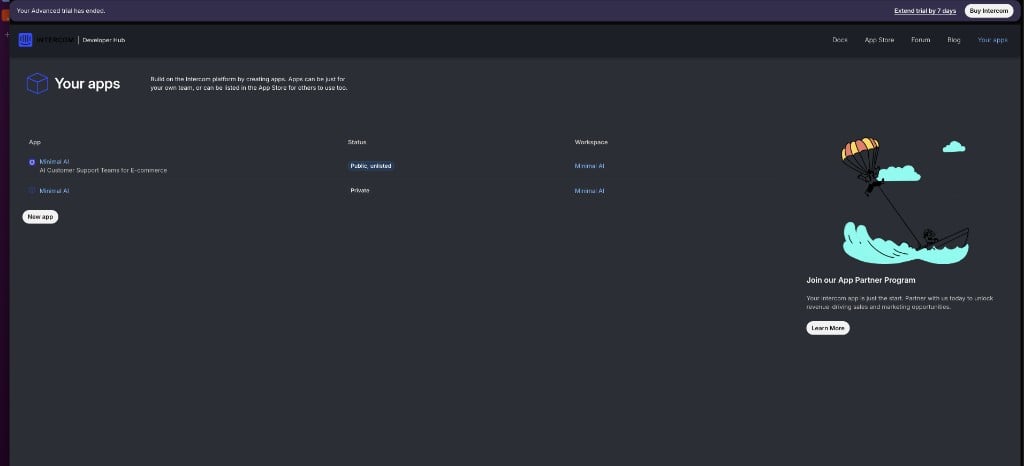
Developer Hub Your apps page with the New app button

Add the credentials to Minimal AI

Open your app and go to Configure > Authentication. You will find the access token and client secret here.
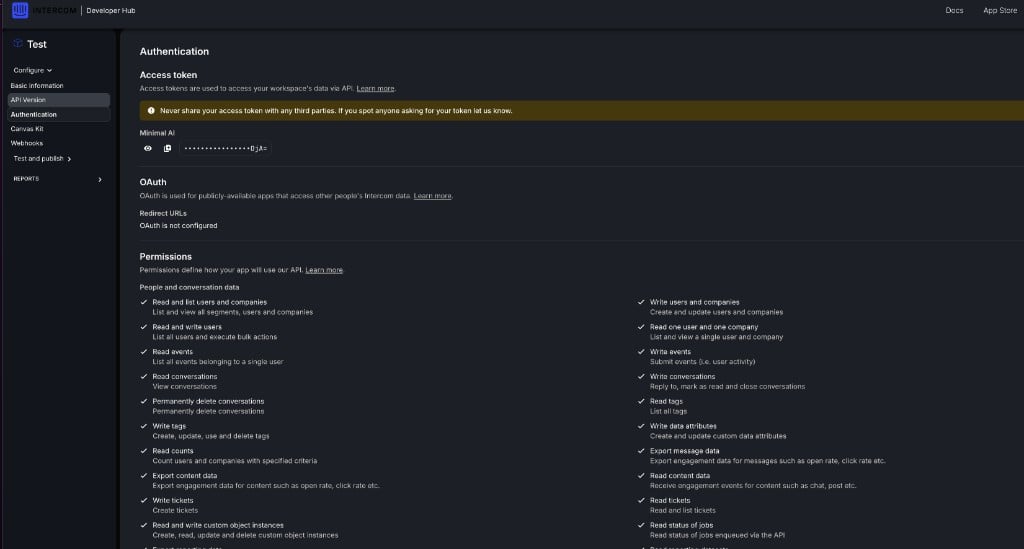
Intercom app Authentication page showing the access token, OAuth client secret, and permissions
1

Copy the access token

Copy the access token and paste it into the Intercom integration in Dashboard > Integrations.
2

Copy the client secret

Generate (if needed) and copy the client secret, then add it to the same Intercom integration in Minimal AI.
Never share your access token or client secret with third parties. Only paste them into Minimal AI’s Intercom integration.

Configure webhooks

In your Intercom app, go to Configure > Webhooks and set the endpoint URL to:
Subscribe to the following topics:
  • conversation.admin.replied
  • conversation.operator.replied
  • conversation.user.created
  • conversation.user.replied
  • ticket.created
Once the credentials are saved in Minimal AI and the webhooks are active, Intercom conversations will flow into Minimal AI.